> ## Documentation Index
> Fetch the complete documentation index at: https://koreai-agent-management-platform-dev.mintlify.app/llms.txt
> Use this file to discover all available pages before exploring further.
# Change Logs
[Back to App Settings](/ai-for-service/app-settings)
Change Logs keep record of all the modifications made to the application. They are essential for tracking changes and are particularly useful for debugging, identifying configuration updates, and understanding their impact on application performance.
***
## Accessing Change Logs
To access the changelogs:
1. Navigate to **App Settings**.
2. By default, the **App Profile** page is displayed.
3. On the left pane, click **Change Logs**.
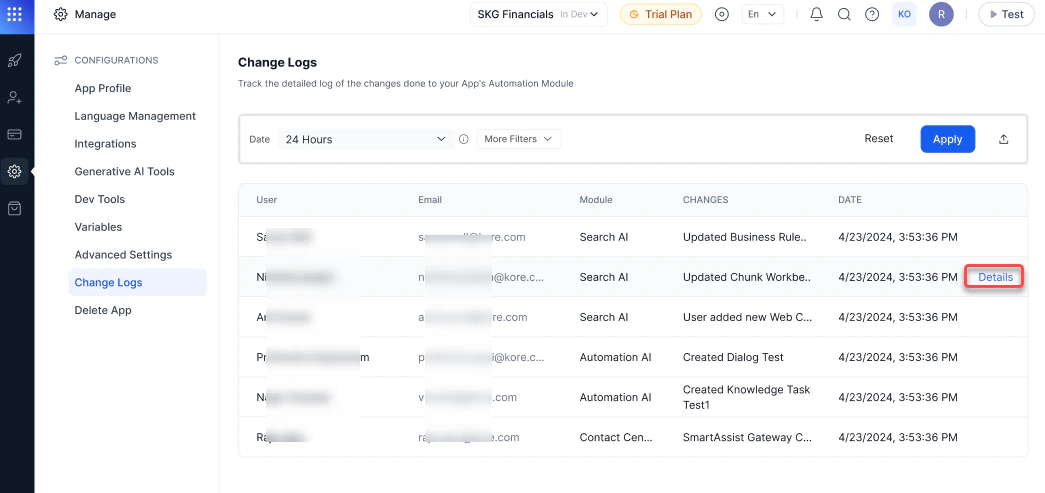
4. The Change Logs page displays log files from all modules of the application, by default. Each log entry includes the following details:
* User Name and Email ID: Identifies who made the change.
* Module: Indicates the module where the change occurred. This page provides detailed updates for all modules, including **Automation AI**, **Search AI**, **Agent AI**, and **Contact Center AI**. Changes that apply universally across all modules are categorized as **Global**.
* Changes: Provides a brief description of the change.
* Date: Timestamp indicating when the change was made.
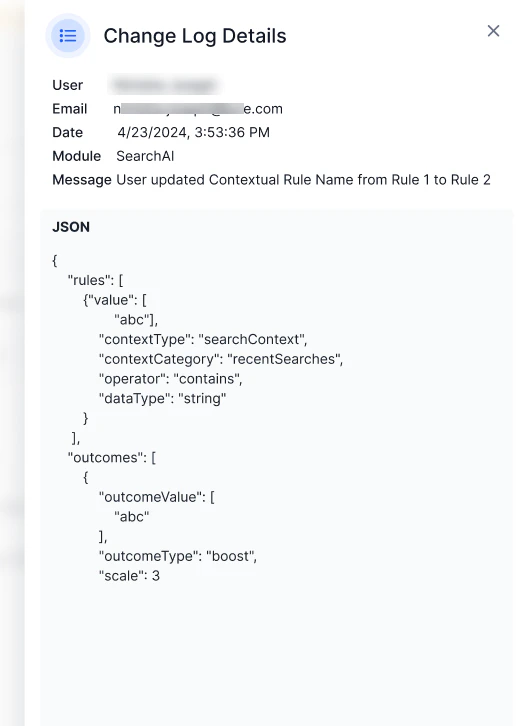
For more information about a specific change, click on the **Details** link.
 This page shows the change made to the application in JSON format.
 ***
## Search and Filter Options
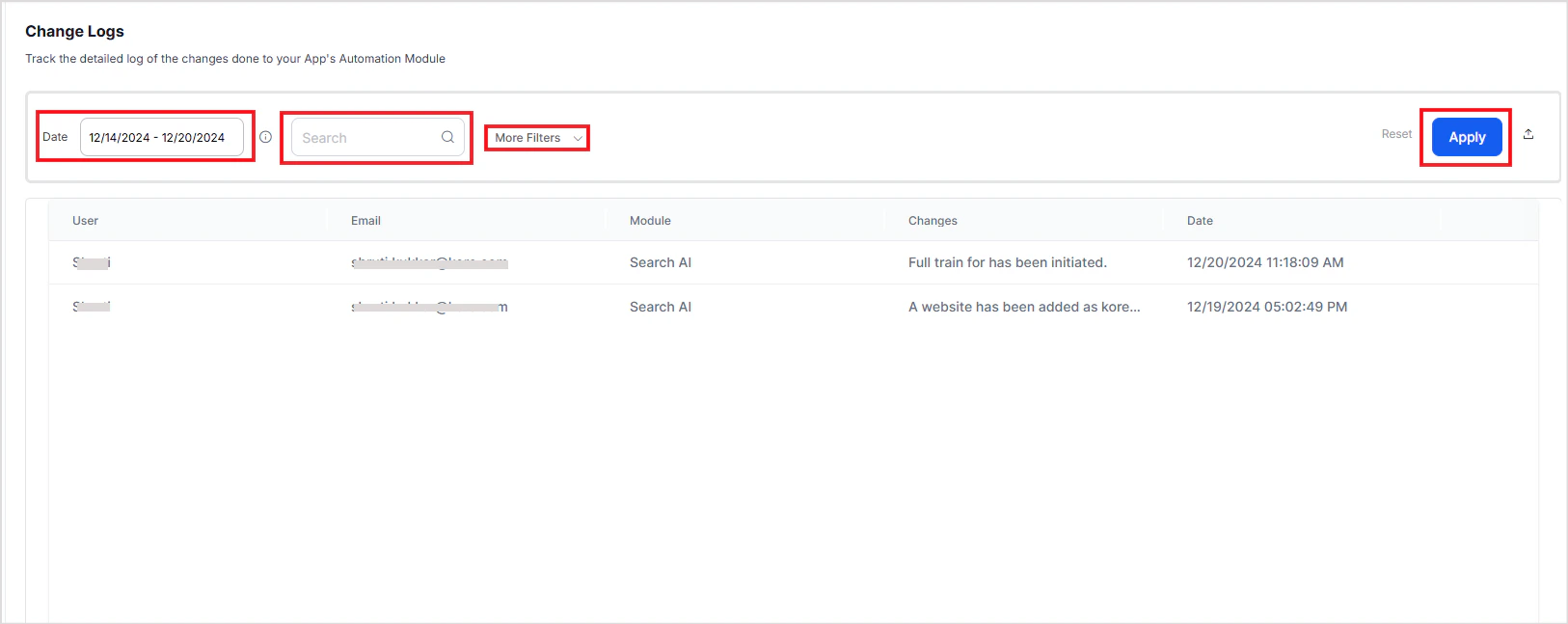
The Change Logs page includes search and filter functionalities to locate specific log entries. Filters can be applied to view logs from a specific module, for a given timeframe, from a specific user or with specific changes.
***
## Search and Filter Options
The Change Logs page includes search and filter functionalities to locate specific log entries. Filters can be applied to view logs from a specific module, for a given timeframe, from a specific user or with specific changes.
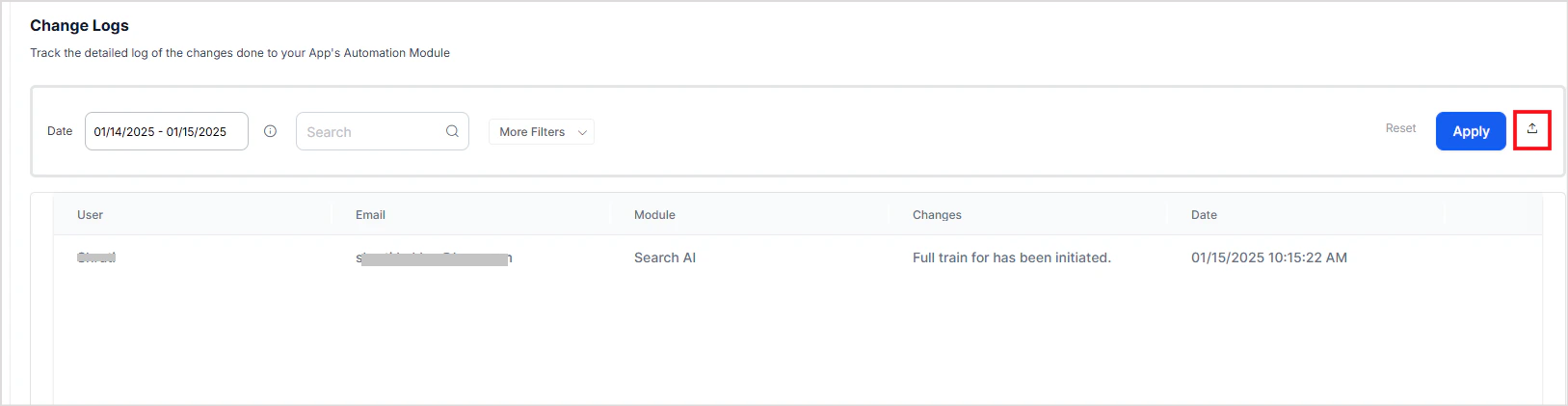
 To download the changes in a CSV format, use the download option. All the details of the changes in the selected timeframe are captured and downloaded to the local machine.
 ### Related Link
* [Get Change Logs API](/ai-for-service/apis/automation/get-change-logs)
***
Built with [Mintlify](https://mintlify.com).
### Related Link
* [Get Change Logs API](/ai-for-service/apis/automation/get-change-logs)
***
Built with [Mintlify](https://mintlify.com).